Files it opens, and files it refuses
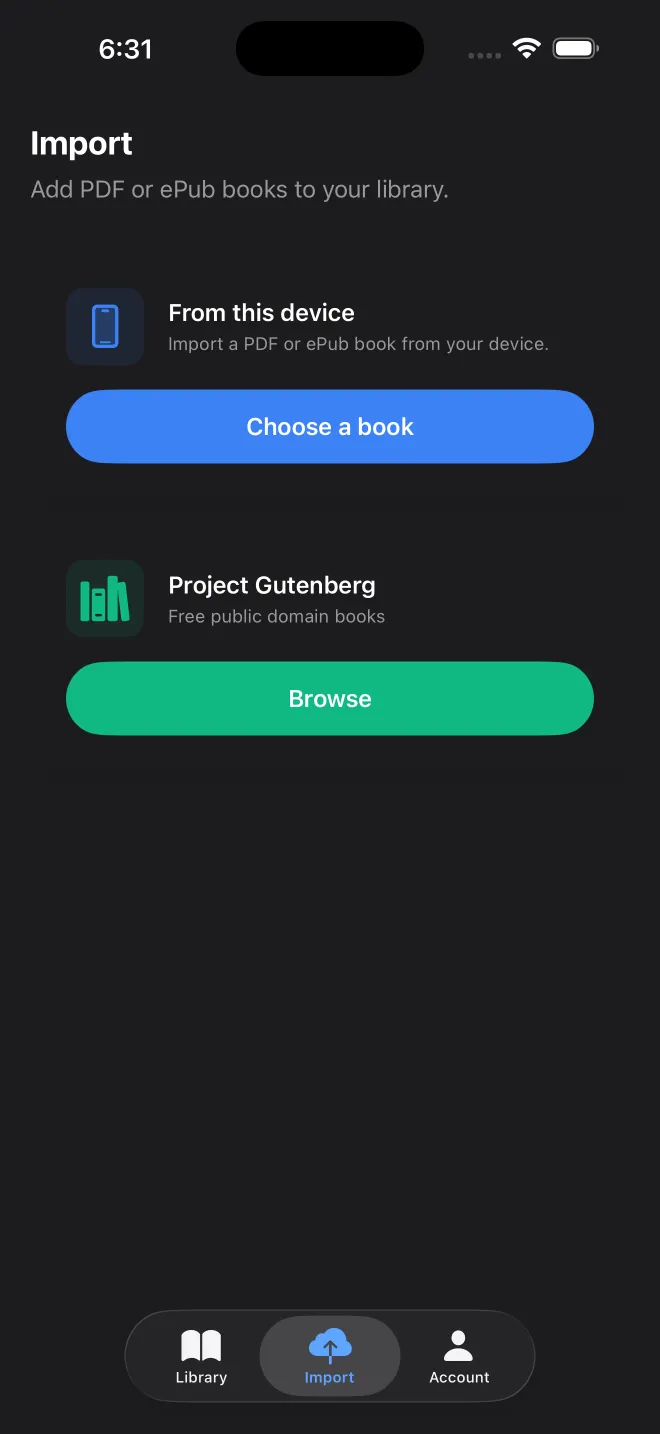
From the import screen you can pick an EPUB, PDF, MOBI, AZW or AZW3 book, and also DOCX, RTF, HTML, Markdown and plain text. An EPUB is the most comfortable of these, since its chapters and paragraphs are already marked up. A PDF only describes where words sit on a page, so its layout can get in the way; the PDF guide covers what to check.
Three limits come up in practice. An EPUB over 35 MB is refused at import. A Kindle book with DRM is refused too, with the message that it is protected. And images are not described aloud, though the app can run on-device text recognition on scanned PDFs.
Five ways to get a book in
- From the device: the Files app and whatever storage it shows.
- Project Gutenberg: a catalogue of 78,182 entries is built into the app (September 2026), searchable by title or author. Downloading a book needs a connection.
- OPDS catalogs: calibre, Kavita, Komga and similar servers, with a username and password or an access token. Remote servers must use HTTPS; plain HTTP is accepted only on your local network.
- A web page: import an article by its address or from the share sheet.
- Pasted text: an email or a note, with an optional title.
Reading settings
Seven fonts are included, among them New York, Georgia, Palatino and OpenDyslexic, and you can import your own. Text size runs from 12 to 28 points, with separate settings for line and paragraph spacing. The theme can be light, sepia, dark, or follow the system.
Long-press a word to highlight the passage, copy it, search for the word, or replay the sentence. Full-text search covers the whole book. Highlights and bookmarks can be exported as Markdown or CSV when you finish.